
Qu'est-ce qu'Android Auto ? Le guide
Android Auto connecte ton téléphone au système d'infodivertissement de ta voiture, pour que tu utilises tes applis habituelles via l'écran de ton tableau de bord plutôt que sur ton téléphone. Google l'a lancé en mars 2015 avec un objectif clair : rendre la conduite plus sûre, plus connectée et moins stressante. Au fil des années, Android Auto est devenu un outil indispensable pour des millions d'automobilistes dans le monde.
Sans Android Auto, nous, chez AAWireless, n'aurions pas eu l'inspiration de créer notre adaptateur Android Auto sans fil innovant — et c'est précisément la raison pour laquelle tu lis cet article !
Dans ce petit guide, on t'explique ce qu'est Android Auto, on explore ses fonctionnalités les plus populaires et on te montre comment en tirer le meilleur parti.
3 raisons d'utiliser Android Auto
Passer la head unit de ta voiture à Android Auto est un choix pratique pour l'automobiliste moderne. Voici les trois principales raisons de franchir le pas :
1. Ta multimédia continue tout simplement
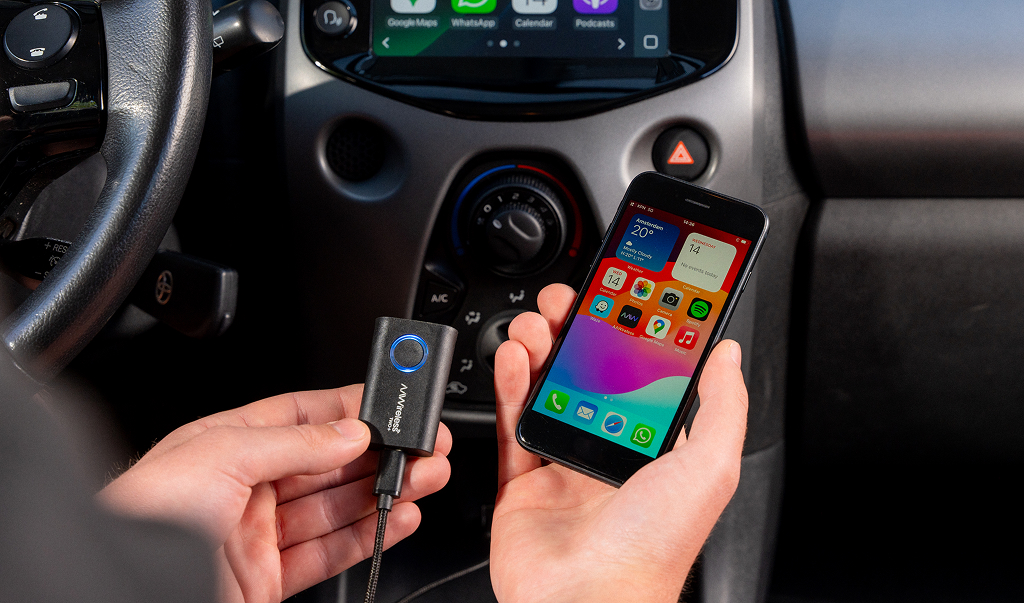
Imagine : tu marches vers ta voiture, tu écoutes de la musique dans tes écouteurs et tu as déjà saisi l'adresse de ta prochaine étape dans Google Maps. Avec Android Auto installé dans ta voiture, cette expérience multimédia se poursuit sans effort sur l'écran de ta voiture.
Dès que tu connectes ton téléphone, tu continues avec les applis que tu utilisais déjà. Avoir des applis pratiques à portée de main pendant que tu conduis rend ton trajet bien plus agréable.
Continue avec tes applis dès que tu montes dans ta voiture, grâce à Android Auto.
2. Conduire en toute sécurité
En matière de sécurité, Android Auto fait vraiment la différence. Avec l'Assistant Google commandé à la voix, tu envoies des messages, changes de musique ou définis une destination sans lâcher le volant.
L'interface est conçue pour une lecture rapide, ce qui te distrait moins que lorsque tu utilises un système standard ou ton téléphone à la main. En donnant la priorité à la commande mains libres, Android Auto t'aide à garder ton attention là où elle doit être : sur la route.
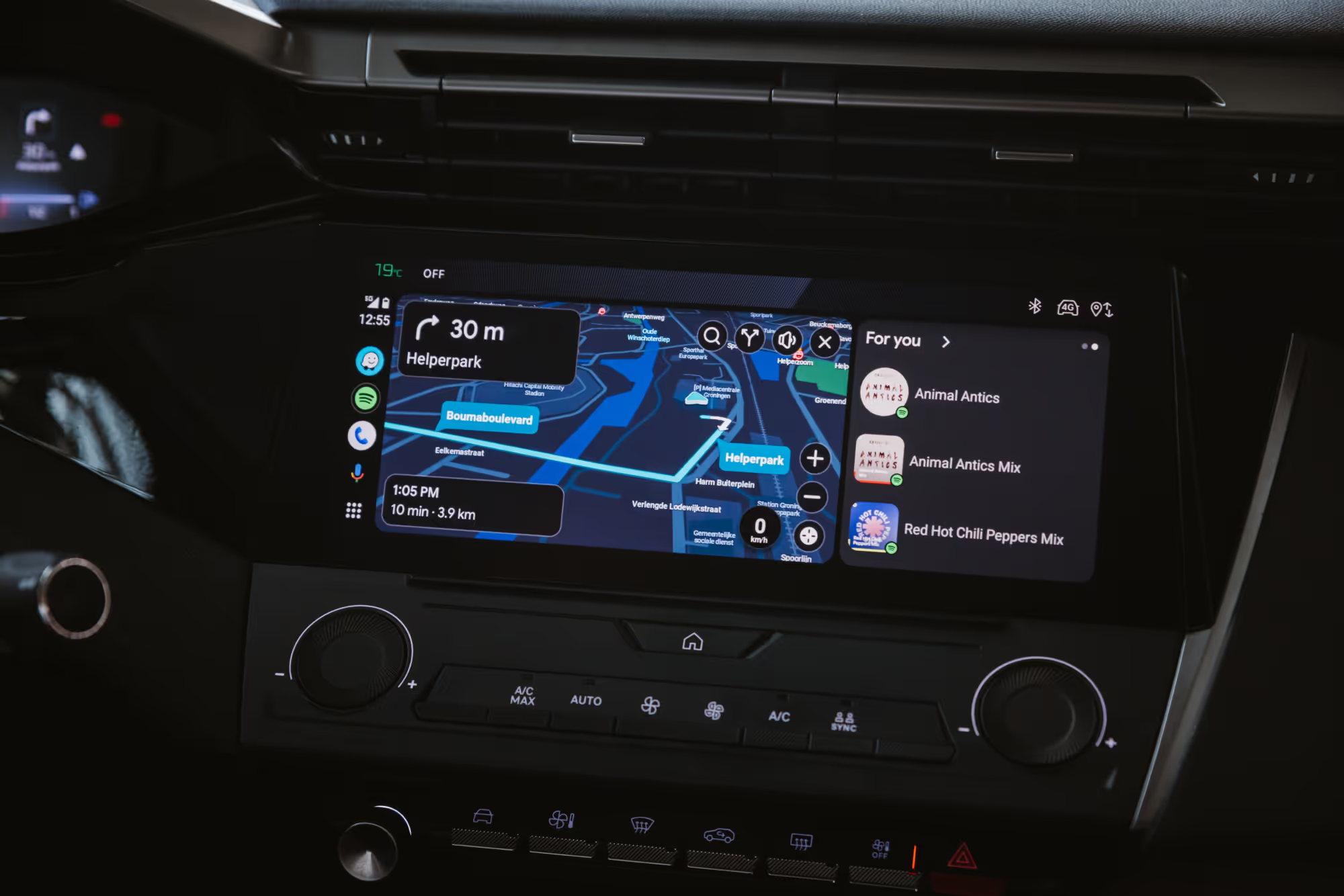
Reste concentré sur la conduite tout en ayant tes applis pratiques sur l'écran de ta voiture.
3. Des fonctionnalités prêtes pour l'avenir
Une head unit, c'est du matériel, et ça prend vite du retard côté innovation — alors qu'Android Auto est conçu pour évoluer.
Des mises à jour régulières apportent de nouvelles fonctionnalités, pour que ton système reste toujours à jour. D'une navigation améliorée à une compatibilité élargie avec les applis, Android Auto évolue en même temps que ton smartphone, ce qui te donne accès aux dernières fonctionnalités sans devoir investir dans du matériel supplémentaire.
En bref, Android Auto offre de la continuité, plus de sécurité et une expérience multimédia prête pour l'avenir. C'est bien plus qu'une mise à niveau — c'est une façon plus intelligente de conduire.
Comment configurer Android Auto
Au fond, Android Auto est une appli mobile qui te permet d'accéder aux fonctions de ton téléphone directement via l'écran d'infodivertissement (la head unit) de ta voiture. Que tu veuilles naviguer avec Google Maps, streamer tes morceaux préférés ou envoyer des messages mains libres, Android Auto est conçu pour t'aider à rester connecté tout en gardant les yeux sur la route et les mains sur le volant.
Voici comment configurer Android Auto :
Vérifie la compatibilité : téléphone & voiture
La première étape consiste à vérifier si ta voiture et ton téléphone sont compatibles avec Android Auto.
- Pour Android Auto filaire (USB), ton téléphone doit fonctionner sous Android 9.0 ou une version ultérieure.
- Pour Android Auto sans fil, il te faut au moins Android 11.
Ta voiture doit être équipée d'une head unit qui prend en charge Android Auto. C'est aussi simple que ça.
Vérifie l'appli Android Auto
Si tu as un téléphone sous Android 10 ou une version ultérieure, Android Auto devrait y être inclus par défaut. Si tu as du mal à lancer Android Auto dans ta voiture, c'est toujours bien de vérifier si l'appli est installée sur ton téléphone.
Va dans le Google Play Store, recherche Android Auto et vérifie s'il est installé.
Connecte ton téléphone
Tu connectes ton téléphone Android à ta voiture :
- via un câble USB
- sans fil, avec l'adaptateur AAWireless TWO
Une fois connecté, l'écran de ta voiture se transforme en une interface simplifiée avec de grandes icônes, des commandes vocales et un texte facile à lire — parfait pour la route. Tu peux ranger ton téléphone et utiliser des applis de navigation, de streaming et de messagerie via l'écran de ta voiture.
Astuce : tu veux passer du filaire au sans-fil ? Notre guide complet t'explique comment mettre Android Auto sans fil.
Applis populaires et pratiques
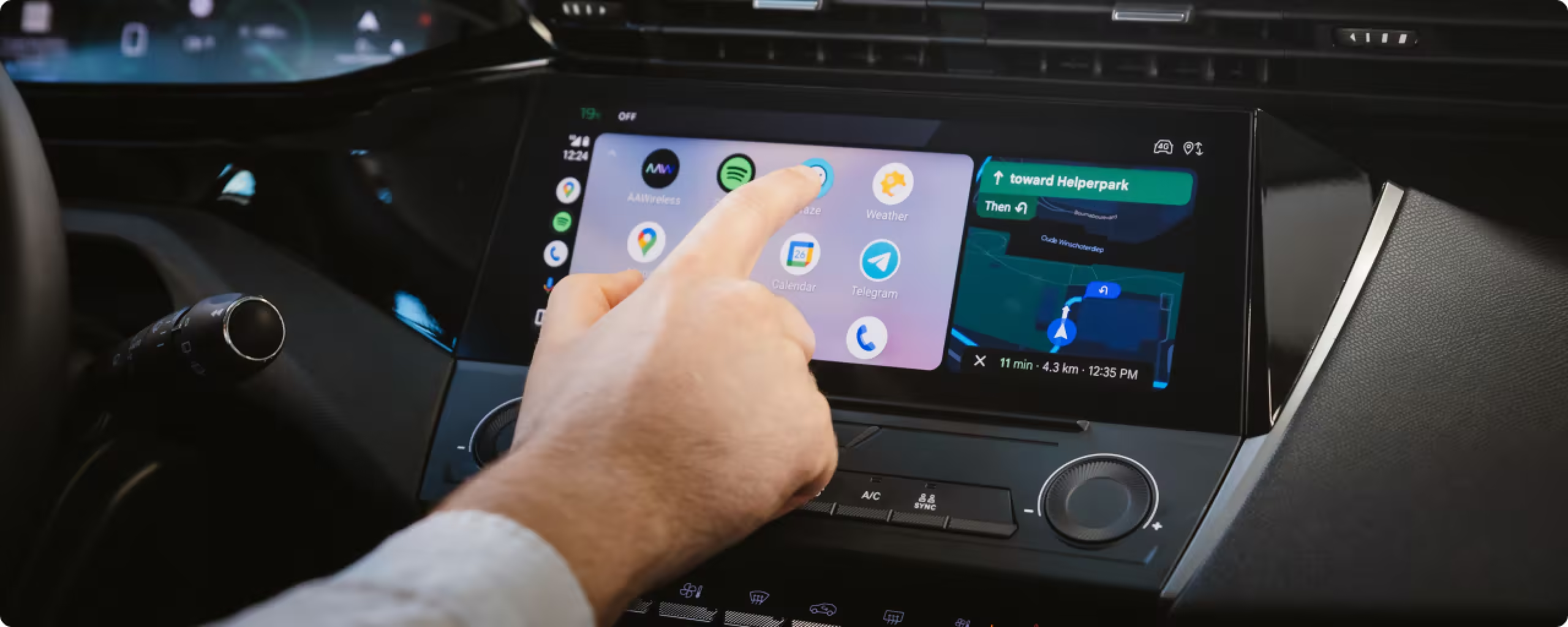
L'un des meilleurs aspects d'Android Auto est sa compatibilité avec un large éventail d'applis. Ces applis sont optimisées pour la conduite, afin de te distraire le moins possible.
Voici quelques-unes des options les plus populaires et les plus pratiques :
Navigation
- Google Maps : la référence en matière de navigation, avec des infos trafic en temps réel, des itinéraires alternatifs et un guidage vocal.
- Waze : une appli de navigation portée par une communauté active, qui t'alerte sur les radars, les dangers de la route et les embouteillages.
Musique et podcasts
- Spotify : streame tes morceaux et playlists préférés sur la route.
- YouTube Music : écoute de la musique adaptée à tes goûts.
- Pocket Casts : idéal pour rattraper tes podcasts lors des longs trajets.
Communication
- WhatsApp : envoie et reçois des messages vocaux ou écrits, en mains libres.
- Google Messages : reste connecté avec des SMS et des messages RCS.
Assistant vocal
- Assistant Google – la pierre angulaire d'Android Auto, qui te permet de contrôler des applis, de poser des questions et même de consulter la météo grâce à de simples commandes vocales.
En intégrant ces applis au système de ta voiture, Android Auto transforme chaque trajet en une expérience productive et agréable.
Voici la liste complète des applis compatibles avec Android Auto.
Profite d'un large éventail d'applis Android utilisables au volant, dont Spotify, Waze, WhatsApp et Google Maps.
Conclusion
Android Auto a transformé l'expérience de conduite en intégrant sans effort ton smartphone au système d'infodivertissement de ta voiture. Sa capacité à offrir un multimédia ininterrompu, à renforcer la sécurité grâce à la commande mains libres et à rester prêt pour l'avenir avec des mises à jour régulières en fait un outil indispensable pour l'automobiliste moderne.
Configurer Android Auto est simple et te donne un accès rapide à des fonctions essentielles comme la navigation, le streaming de musique et la communication mains libres. Sa compatibilité avec des applis populaires comme Google Maps, Spotify et l'Assistant Google t'assure une expérience de conduite personnalisée et sans distraction.
Que tu mettes à niveau la head unit de ta voiture ou que tu passes d'une connexion filaire à une connexion sans fil, Android Auto est un investissement intelligent pour des trajets plus sûrs et mieux connectés. Adopte cette technologie et transforme dès aujourd'hui ta façon de conduire.
Et avec l'adaptateur AAWireless, tu peux passer à la vitesse supérieure en devenant entièrement sans fil. Dis adieu aux câbles et bonjour à une expérience de conduite plus intelligente et plus fluide.
Descubre nuestros últimos artículos
Here are some other articles you might be interested in.
.avif)